City travel tracker
Remember every stop.
The weekend break. The long rail journey. The city you always go back to. See your city visits marked with pins on a map, with each trip’s stops, dates, and travelers kept together.
See your own travels or explore where the family has been. Every visit stays part of the trip it belongs to.
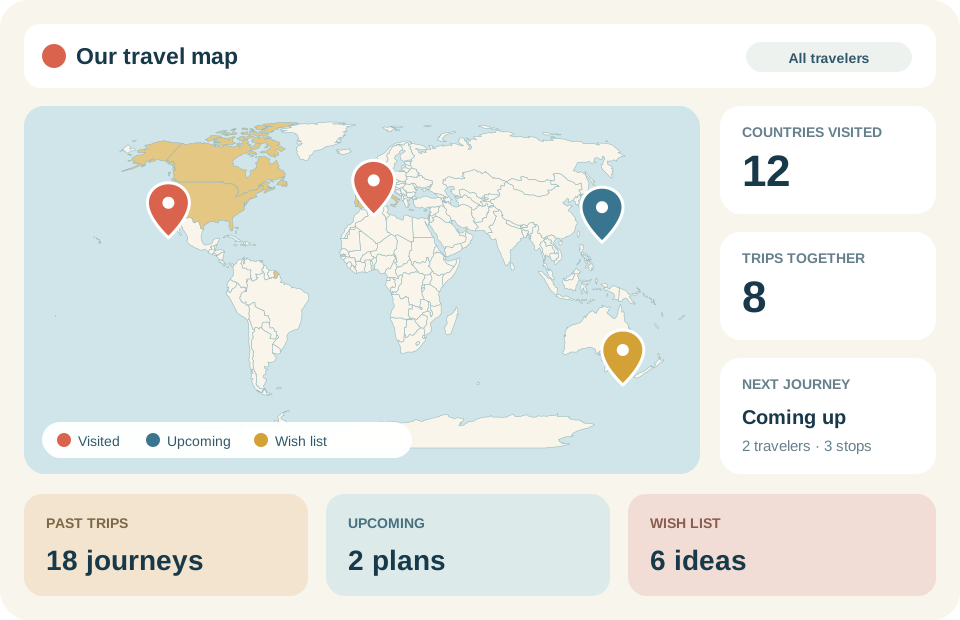
Many cities. One journey.
Picture a train trip from Amsterdam through Brussels to Paris. Three cities, three countries, all kept together as one trip. Each stop has a place on your map and in your travel history.
Return to Paris another year and add a new trip. You can look back at both visits, including when you went and who was there.
Build your cities visited map
- Start with a trip. Add its dates and the people who went. Mark it as visited to include it in your travel history.
- Add the places. Enter each city and country in the order you visited them.
- Look back whenever you like. Explore your map and trip history, or choose a traveler to see the places they’ve been.
Just enter the city and country; 190 Plus looks up the location. If it can’t find a place, you can still save the stop and add its map location later.
Save a place for your next city break
Keep the stops for an upcoming trip in one place, or save a city you’d love to visit someday. Scheduled trips and wishlist ideas have a place alongside your past travels.
Build your travel wishlist, keep track with your family, or see the bigger picture on your countries visited map.
Shared by invitation
Your travels. Your circle.
Your map is private. When you create a shared tracker, you choose who to invite and whether they can view or help edit your trips.
About tracking your city visits
Can a trip include cities in different countries?
Yes. Add each city and its country as a stop in the same trip. You can keep the whole journey together, however many borders you crossed.
How does 190 Plus find a city on the map?
It looks up the city and country you enter. If the location needs adjusting, you can add latitude and longitude yourself. You can also save a stop before its map location has been found.
Can I keep repeat visits to the same city?
Yes. Add the city to each trip you took there. Each visit keeps its own dates and travelers as part of that trip.
Give your travels a place to come back to.
Start with one trip. Add the cities that made it yours.
Start your city mapSign in