Keep the kids’ travel history
Add each child as a traveler and record their trips as they grow. They don’t need an account of their own.
Family travel tracker
The trip before you met. The first holiday with the kids. The weekend everyone came along. Keep your family’s travels in one place, with a history for each person.
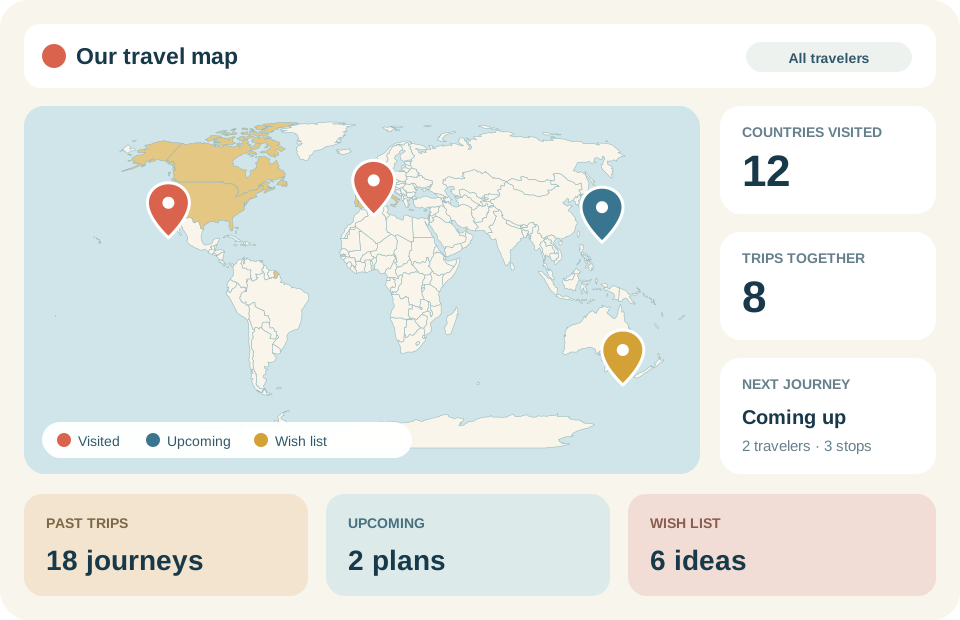
Add who went where, then see one person’s map or the trips you’ve shared. Invite family to help fill in the details.
Add each child as a traveler and record their trips as they grow. They don’t need an account of their own.
When you create a shared tracker, you can invite family to help update it. Give someone viewer access if they just want to look around.
Choose a person to see their travels, or select a group to find trips together. You can even look for trips with just that group.
Say two parents visit Italy before their child is born. Years later, all three take a trip to Canada. Each person’s travel history should reflect that.
| Trip | Travelers | Stops |
|---|---|---|
| Italy trip | Both parents | Rome and Florence, Italy |
| Canada trip | Both parents and their child | Toronto and Montréal, Canada |
Select the child, and the map shows Canada. Select either parent, and it shows Italy too. Both trips stay together in your shared travel history.
Add someone as a traveler to keep a record of their trips. Invite them when you want them to sign in and use the shared tracker.
You can add past trips while someone else updates the next holiday. You’ll both be working in the same place.
Keep your past and upcoming trips alongside a family travel wishlist. Save the places you’ve been talking about, even before you have dates.
Look back at your countries visited map or explore the cities you’ve visited as your family’s travel history grows.
Shared by invitation
Your map is private. When you create a shared tracker, you choose who to invite and whether they can view or help edit your trips.
Yes. Add each person as a traveler and choose who went on every trip. Select a traveler to see their countries visited map, city stops, and travel count.
No. You can record a child’s trips without creating a login for them. An account is only needed to sign in and use the shared tracker.
Yes. The owner can send an invitation with viewer access. Choose editor access if you’d like that person to add or update trips and travelers.
Yes. Choose the people who went on each trip. Solo adventures, weekends for two, and whole-family holidays can all live in the same tracker.
Yes. Invited members can see the full shared travel history. Selecting a traveler changes which trips are shown; it doesn’t hide those trips from other members. Your map isn’t public.
Add the places, choose who came along, and give your family’s travels a home.
Start your family map